Two Button Bounce Unblocked — Play Free Online
More Gravity & One-Button Flyers games





Two Button Bounce unblocked: play Two Button Bounce online free right here in your browser — no download, no sign-up, works on a school Chromebook.
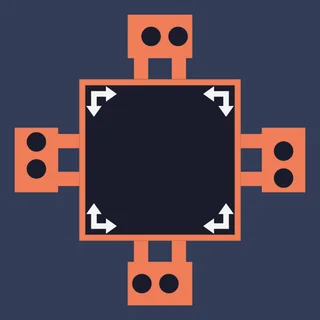
Two Button Bounce is a clever cooperative puzzle platformer created by Robert Alvarez that turns character control into an exercise in pure timing. Instead of directly steering two lively characters across the stage, you manage only their jumps while they pace back and forth on their own. Every stage presents a compact maze filled with elevated ledges, spike traps, locked gates, and exit portals.
For players visiting Space Waves who love rhythm, fast restarts, and precision movement, Two Button Bounce offers a fresh mental challenge. You must anticipate where each character will rebound against a wall, judge the height of each leap, and coordinate both figures so neither falls into a hazard.
How to play
Both characters pace automatically from left to right, reversing their momentum the instant they collide with a solid wall or obstacle. Your only job is to trigger their jumps at the correct moment:
- Player 1 (Left Character): Press W to jump or bounce off platforms.
- Player 2 (Right Character): Press the Up Arrow key to jump.
- Restart Level: Press R to immediately reset the stage after a mistake.
- Pause / Menu: Press Esc to pause or return to the level selection screen.
You can tackle every stage solo by placing one hand on W and the other on the arrow keys, or team up with a partner sharing the same keyboard. Success requires working together: one character often needs to jump onto a raised ledge to step on a pressure plate or retrieve a key, opening the barrier that blocks the second character from reaching the exit teleport.
Tips for clearing tough stages
- Use wall rebounds to aim your jumps: Characters turn around automatically upon touching a wall. If a ceiling spike blocks a forward leap, let your character bump the wall first so you can jump safely in the opposite direction.
- Stagger your inputs when playing solo: When managing both jumpers yourself, avoid trying to bounce both simultaneously unless necessary. Let one character pace safely on a flat runway while focusing your eyes and fingers on the one navigating spikes.
- Memorize switch effects: Stepping on colored buttons often opens gates or flips moving barriers. Look over the entire single-screen layout before making your first leap to see which path needs to open first.
- Take advantage of instant restarts: Death is never penalized with long loading screens. Tap R quickly to retry a tricky jump cycle until the muscle memory clicks.
Similar games on Space Waves
If you enjoy the synchronized movement and quick reflexes of Two Button Bounce, try other timing-based favorites in the Space Waves library. G-Switch 3 challenges you to run along ceilings and floors with inverted gravity across multiplayer tracks. For tough single-screen platforming that demands meticulous jump precision, Big NEON Tower vs Tiny Square tests your patience across a massive neon obstacle course, while Level Devil introduces surprising traps that test your reaction speed on every screen.
Two Button Bounce runs directly in any modern desktop web browser without requiring extra software or downloads, making it a great pick for quick puzzle-solving sessions on a laptop or Chromebook.
Questions about Two Button Bounce
Is Two Button Bounce unblocked at school?
Two Button Bounce runs in an ordinary browser tab from spacewaves.info, with nothing to download or install, so it plays on most school Chromebooks and work computers. If a network filter blocks the site, only that network's administrator can change it.
Can I play Two Button Bounce by myself or do I need two players?
You can play Two Button Bounce either solo or with a partner. In single-player mode, you control one character with the W key using your left hand and the other with the Up Arrow key using your right hand.
What are the keyboard controls for Two Button Bounce?
Player 1 presses the W key to jump, Player 2 presses the Up Arrow key to jump, and the R key instantly restarts the current stage if you make a mistake.
How do you clear each level in Two Button Bounce?
Both characters bounce continuously back and forth across platforms. You must time their jumps to avoid hazards, press switches, collect keys, and reach the exit portal.
Does Two Button Bounce save my level progress?
Yes, Two Button Bounce automatically saves your completed stages in your web browser's local cache so you can return and continue later.