Sides of Gravity Unblocked — Play Free Online
More Gravity & One-Button Flyers games
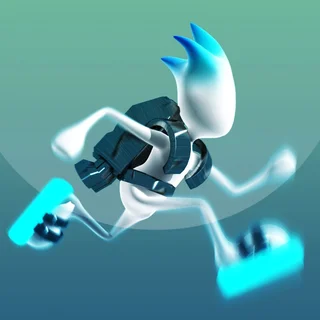






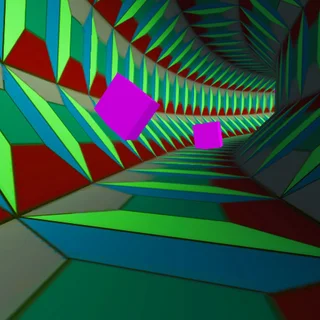

Sides of Gravity unblocked: play Sides of Gravity online free right here in your browser — no download, no sign-up, works on a school Chromebook.
Sides of Gravity is a precision puzzle platformer centered on shifting perspective and navigating danger from every possible angle. Instead of staying planted on the ground, your character can reorient gravity across all four walls of each chamber. Every room is an enclosed maze filled with spikes, moving hazards, and narrow corridors leading toward an exit portal.
The appeal of Sides of Gravity lies in its deliberate rhythm. While fast-paced rhythm games like Space Waves demand continuous reflexes along a single horizontal plane, Sides of Gravity challenges spatial awareness. You must read the room before making a move, figuring out which surface provides a safe landing spot and which will drop you straight into a hazard. Quick restarts keep the momentum high whenever a jump falls short.
Because the game runs entirely in your web browser, rounds load instantly with zero installation required. It is an ideal fit for anyone who enjoys tight obstacle navigation, timing puzzles, and quick trial-and-error sessions between classes or work breaks.
How to play
Each level places you in a self-contained room with a single objective: navigate around obstacles to reach the glowing exit portal. You can move across your current surface and activate gravity shifts to leap toward adjacent walls or the opposite ceiling.
Controls are straightforward and responsive:
- Move: Use the Arrow keys or A and D to run left and right along whichever surface you currently stand on.
- Flip Gravity or Jump: Press the Spacebar, Up Arrow, or click the screen to launch across the chamber to the opposing wall.
- Restart: If you touch a spike or get trapped, press R or tap the screen to reset the current stage instantly.
Navigating successfully requires understanding how momentum carries through a shift. When you launch toward a new wall, your character travels in a straight line until making contact with solid ground. If a spike sits along that trajectory, you must reposition yourself before triggering the shift.
Tips for clearing tough chambers
- Survey the entire room first: Before taking your first step, trace a path from your starting point to the exit. Identify which walls have safe landing strips and which are covered in hazards.
- Control your momentum on landing: Shifting gravity changes your orientation immediately upon landing. Be ready to adjust your directional inputs so you do not accidentally walk off a safe platform into spikes.
- Patience beats panic: Unlike endless runners, most static levels give you time to pause on a safe wall and plan your next jump. Use that breathing room to line up precision shifts.
- Watch for moving obstacles: Timed hazards require synchronizing your gravity switch with their movement cycle. Wait for the danger to clear your flight path before jumping.
Similar games on Space Waves
If you enjoy the gravity manipulation and precision timing of Sides of Gravity, the catalogue on Space Waves has several great companion titles. G-Switch and its sequels offer high-speed running where gravity flips must happen at full sprint. For players who prefer rhythmic obstacle courses with strict one-button inputs, Geometry Dash and Space Waves deliver intense reflex tests. If you want clever puzzles with mischievous level design, Level Devil provides unpredictable platforming surprises.
Sides of Gravity works smoothly on desktop computers, Chromebooks, and mobile devices without requiring extra downloads. Its bite-sized stages make it easy to pick up for a few minutes or play through an entire set of puzzle chambers in one sitting.
Questions about Sides of Gravity
Is Sides of Gravity unblocked at school?
Sides of Gravity runs in an ordinary browser tab from spacewaves.info, with nothing to download or install, so it plays on most school Chromebooks and work computers. If a network filter blocks the site, only that network's administrator can change it.
How do you control Sides of Gravity?
Use the arrow keys or A/D to run along surfaces, and press Space, Up Arrow, or click to shift gravity between walls and ceilings.
Can I play Sides of Gravity on mobile or Chromebook?
Yes. Sides of Gravity runs directly in any modern web browser on Chromebooks, desktop PCs, laptops, and mobile touchscreen devices.
Does Sides of Gravity save my level progress?
Your level completion is automatically saved in your browser storage, allowing you to return and continue from the latest unlocked chamber.