Run 3 Unblocked — Play Free Online
More Tunnels & Speed Runs games

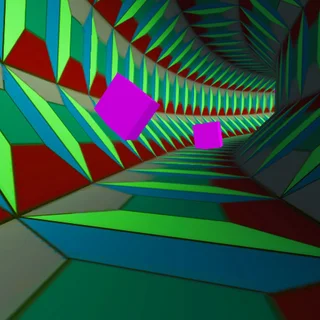



Run 3 unblocked: play Run 3 online free right here in your browser — no download, no sign-up, works on a school Chromebook.
Run 3 is a classic three-dimensional endless runner and platformer created by Player 03 that drops you into an expansive network of floating geometric tunnels in deep space. Navigating these hollow corridors requires sharp reflexes and quick spatial thinking, as the track is filled with gaping holes, brittle crumbling tiles, and sharp turns that lead into the empty cosmos.
What sets this game apart is its dynamic gravity mechanic. As you guide your runner forward, steering onto either sidewall rotates the entire cylindrical tunnel around you, instantly converting that wall into the new floor. This perspective shift allows you to bypass massive chasms and create new paths out of seemingly impassable dead ends.
For players visiting Space Waves who enjoy rapid-fire timing challenges and spatial awareness, this cosmic runner delivers a rewarding mix of reflex tests and route planning across both casual practice runs and intense marathon attempts.
How to play
Controlling your character is intuitive, relying on standard keyboard inputs to steer and leap through the void:
- Move Left and Right: Press the Left and Right Arrow keys or the A and D keys to steer along the tunnel walls.
- Jump: Press the Spacebar, Up Arrow, or W key to hop over gaps and broken tiles. Holding the button extends your airtime for longer jumps.
- Rotate the World: Steer directly into a side wall to rotate the corridor ninety degrees and reorient gravity beneath your feet.
- Select Your Mode: Explore Mode offers a branching galaxy map with dozens of interconnected levels, while Infinite Mode challenges you to survive an endless, randomly generated route.
Tips for long runs
Building high streaks requires more than raw reflexes. Keep these practical tactics in mind:
- Look ahead down the corridor: Avoid watching only the tiles right under your runner. Spotting missing floor sections several paces ahead gives you time to plan wall transitions.
- Feather your jumps: Tapping the jump button produces a quick hop, while holding it down delivers a floaty, extended leap. Use short hops on narrow ledges to avoid overshooting stable footing.
- Favor wall rotations over risky jumps: If a floor ahead is riddled with missing segments, steer onto a solid adjacent wall rather than attempting a series of desperate leaps across the void.
- Watch for collapsing tiles: Dark gray tiles shake and detach shortly after contact, so treat them as momentary springboards rather than safe landing zones.
Similar games on Space Waves
If you enjoy the rhythm and gravity-defying mechanics of Run 3, several other titles on this site offer comparable action. G-Switch and its sequels explore upside-down running with split-second lane switches, while Geometry Dash tests your timing against unforgiving obstacle courses. For players who appreciate tight jumping precision and clever level design, Big NEON Tower vs Tiny Square offers a vertical climbing challenge with a similar emphasis on persistent execution.
The game loads quickly in any modern browser without extra setup, making it ideal for quick sessions whenever you want to test your reflexes against the endless reaches of space.
Questions about Run 3
Is Run 3 unblocked at school?
Run 3 runs in an ordinary browser tab from spacewaves.info, with nothing to download or install, so it plays on most school Chromebooks and work computers. If a network filter blocks the site, only that network's administrator can change it.
What are the controls for Run 3?
Use the Left and Right Arrow keys or A and D to move left and right. Press Spacebar, Up Arrow, or W to jump. Holding the jump key yields higher leaps.
How does gravity rotation work in Run 3?
When you run into the left or right sidewall of a tunnel, the entire camera perspective and gravity field shift so that the wall becomes your new floor.
Can I save my progress in Explore Mode?
Yes, your stage progression, unlocked tunnels, and character roster are stored automatically in your browser local storage between play sessions.