G-Switch Unblocked — Play Free Online
More Gravity & One-Button Flyers games




G-Switch unblocked: play G-Switch online free right here in your browser — no download, no sign-up, works on a school Chromebook.
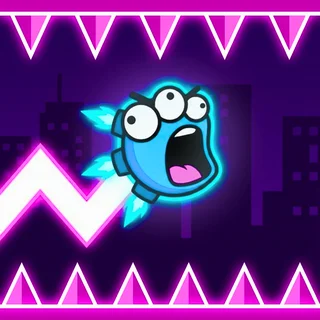
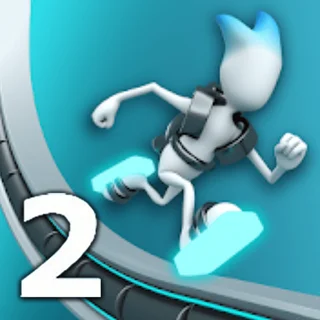
G-Switch is a fast-paced gravity runner developed by Serius Games that strips platforming mechanics down to a single reflex-testing action. Instead of jumping over pits and hurdles, your runner automatically sprints forward while you flip gravity back and forth between the floor and the ceiling. The challenge comes from calculating momentum, navigating jagged multi-tiered corridors, and deciding precisely when to switch surfaces before momentum carries you off the screen.
For fans of reaction-based obstacle courses on Space Waves, G-Switch provides immediate pickup-and-play excitement with punishing difficulty. A single mistimed tap will send your robotic runner plummeting into open space or colliding headfirst into a solid wall. Because restarts happen almost instantly, failed attempts quickly turn into rapid trial-and-error sessions as you memorize complex track layouts.
How to play
The controls in G-Switch are intentionally straightforward: press the Spacebar, left-click your mouse, or tap the screen to flip gravity. Your character continues running at maximum speed without stopping, so your primary focus is reading incoming obstacles.
Throughout each stage, the environment splits into broken platforms, elevated ceilings, and sudden dead ends. You can only invert gravity while your feet are firmly planted on a surface. Once airborne, your runner travels along their current trajectory until they land on an opposite surface or catch a connecting ledge.
Tips
- Look ahead of your runner: Fixating on your character makes reacting to sudden drop-offs impossible. Keep your eyes focused on the right side of the screen to spot upcoming gaps and incoming ceiling drops early.
- Commit to mid-air lines: Because gravity cannot be switched again while floating through the air, make sure the destination surface actually has a landing spot before you tap.
- Use checkpoints to master tricky sequences: The single-player mode places checkpoints throughout lengthy levels. Use these restart points to dissect intricate jumps and narrow window corridors step by step.
Similar games on Space Waves
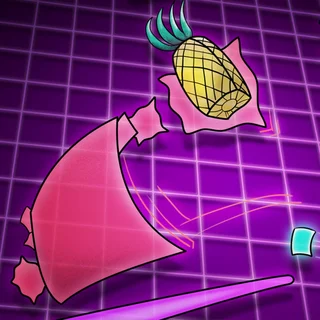
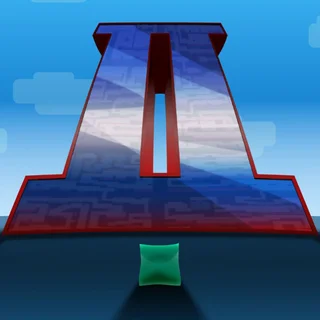
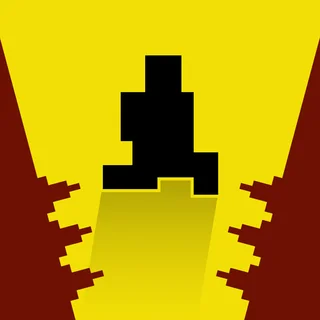
If you enjoy the pure timing challenge of G-Switch, there are several companion games on Space Waves worth checking out. Its direct sequels, G-Switch 2 and G-Switch 3, expand the concept with twisted tracks, new power-ups, and support for even more simultaneous players. For rhythm-driven timing challenges that test jumping precision across brutal geometric tracks, Geometry Dash and Space Waves offer a similar adrenaline rush with unforgiving instant-restart action. If you prefer methodical precision platforming over high-speed running, Big NEON Tower vs Tiny Square tests your patience across one massive neon tower.
Questions about G-Switch
Is G-Switch unblocked at school?
G-Switch runs in an ordinary browser tab from spacewaves.info, with nothing to download or install, so it plays on most school Chromebooks and work computers. If a network filter blocks the site, only that network's administrator can change it.
What are the controls for G-Switch?
Press the Spacebar, Left Mouse Click, or tap the screen on mobile devices to invert gravity. In multiplayer mode, each player uses an assigned keyboard key.
Can you play G-Switch with multiple players?
Yes, G-Switch supports local multiplayer for up to six players on a single keyboard, with each participant controlling their runner using an assigned key.
Does G-Switch save level progress?
Progress through the single-player campaign checkpoints is tracked during your browser session so you can resume after missed jumps.
Do I need to download or install G-Switch to play?
No installation or account is needed. The game runs directly in any modern desktop or mobile web browser with keyboard and touch support.