Space Waves Modes: Classic, Endless and Race Explained
Published · 3 min read
The first screen after the tutorial in Space Waves is titled "Select a game mode", and it offers three cards: Classic, Endless and Race. They use the same arrow and the same controls, but they reward different things. Here is what each one is for, and what the gems you pick up along the way buy.
Classic: worlds and levels
Classic is described on its card as "reach the finish to complete levels". Press Select Level and you get a row of worlds, each with its own progress percentage:
- World 1 — "simple world with simple levels". The place to learn the hold and release.
- World 2 — "EASY levels". Still friendly, but the corridors start to narrow.
- World 3 — "the floor is LAVA!". The floor stops being a safe place to slide, so you have to stay off it.
- Special — "new worlds!!!". Extra worlds the game adds to the list.
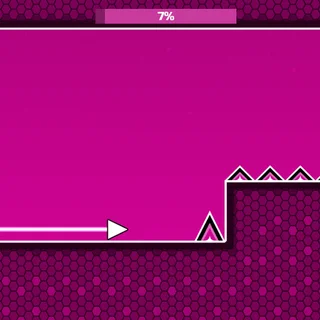
Inside a level, a bar at the top shows how far through it you are as a percentage, and P pauses. A crash ends the attempt; if you got further than ever before, the game flashes NEW PROGRESS with your new best percentage, then the level starts again from the beginning. The colours change as you go, from deep blue in the tutorial to hot pink and orange.
Endless: metres and a high score
Endless has one instruction: "go as far as possible and set a highscore". The counter on the card reads in metres, and your best distance stays there. The course brings in spinning saw blades and passages that narrow and widen, and there is no finish line to aim for, so it is about reading what comes next and reacting.
When you crash, the game asks "Continue?" with a Revive button. On the original release that button plays a video ad. No ads run inside the game on this site, so choose Give Up and start a fresh run. It is a good habit anyway: a high score earned in one clean run means more.
Race: five minutes against other arrows
Race says "reach the finish before others". Before you start, the arrows under the card switch the difficulty between Easy and Hard. The race opens with a countdown, a group of named arrows lines up beside you, and a clock starts at five minutes. A bar at the top shows where you are on the course, marked "you".
Race changes your priorities. In Classic you can be careful because there is no clock. In Race, a slow but safe line can lose. Start on Easy, learn how long the course feels, then try Hard.
Gems
Gems are the purple currency shown at the top of every menu screen. Purple gems float in the levels — fly through one to collect it. They are only spent in the shop, and nothing in the shop makes the arrow faster or the levels easier — everything there is about looks.
The shop: arrows, trails and colours
The shop has three tabs. One sells new arrow shapes — darts, rockets, blades and stranger things — at prices from 500 up to 8,000 gems, with the plain arrow free. Another sells trails, the line the arrow draws behind it. The third sells colours. The Skin screen, opened from the bottom of the main menu, shows what you own and which arrow is selected.
Because every arrow behaves the same way, there is no wrong choice. Buy the one you like looking at; you will be staring at it for a long time.
Daily gift and settings
A gift icon on the right of the menu counts down to the next daily reward. Settings has two buttons: Sound and Language. The game is translated into several languages, chosen from the flag button.
Which mode should you play first?
- Classic, World 1 until short taps feel natural.
- Endless for a few runs, to practise reacting to things you have not seen before.
- Race on Easy once you can get through a level without stopping to think.
- World 3 and Race on Hard when you want the game to push back.
All three modes save in your browser, so the same device and browser keep your worlds, gems and arrows between sessions.
More from the blog
- Space Waves Controls: How the Wave Arrow Really Moves
Hold to rise, let go to fall — but the walls, the angle and the rhythm of your taps matter more. A practical guide to steering the arrow in Space Waves.